En savoir plus
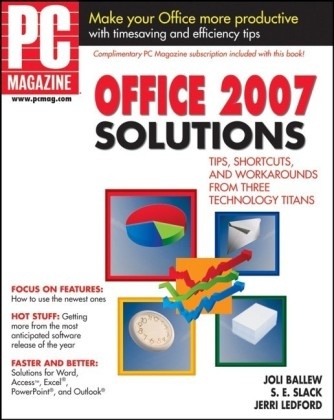
Office 2007 is filled with features that can make you more productive at work and at home. This work provides the solutions you need to make the most of Microsoft[registered] Office 2007.
Table des matières
Acknowledgments.Introduction.Part I Getting Started.Chapter 1 Installing Microsoft Office 2007.Chapter 2 Protecting Against Viruses and Other Threats.Chapter 3 Organizing Data Right from the Start.Part II Avoiding Disasters.Chapter 4 Backing Up Your Data.Chapter 5 Staying Up to Date.Chapter 6 Recovering from Problems.Part III Exploring the New Interface.Chapter 7 Personalizing the Interface.Chapter 8 Getting Familiar with the Ribbon .Chapter 9 Obtaining Immediate Results with Styles and Galleries.Part IV Working Together.Chapter 10 Saving and Sharing Data.Chapter 11 Setting Up User Access.Chapter 12 Collaborating Options.Part V Working with Word.Chapter 13 Performing Common Tasks in Word.Chapter 14 Exploring Additional New Features in Word.Part VI Presenting with PowerPoint.Chapter 15 Performing Common Tasks in PowerPoint.Chapter 16 Exploring Additional New Features in PowerPoint.Part VII Managing Data with Excel.Chapter 17 Performing Common Tasks in Excel.Chapter 18 Exploring Additional New Features in Excel.Part VIII Keeping in Touch with Outlook.Chapter 19 Performing Common Tasks in Outlook.Chapter 20 Exploring Additional New Features of Outlook.Part IX Managing Data with Access.Chapter 21 Performing Common Tasks in Access.Chapter 22 Exploring Additional New Features in Access.Part X Publishing with Publisher.Chapter 23 Performing Common Tasks in Publisher.Chapter 24 Exploring Additional New Features of Publisher.Part XI Doing Even More with Office.Chapter 25 Web Design with Office.Chapter 26 Using Office 2007 with Vista.Chapter 27 Exploring Office Enterprise.Index.