Ulteriori informazioni
Unlock the full potential of your
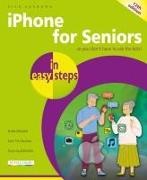
iPhone with iPhone for Seniors in easy steps, 12th edition. Featuring the iPhone 17 models and the latest iPhone operating system – iOS 26 – this guide shows how to:
Take the appearance of your iPhone to the next level with the new Liquid Glass interface, enabling you to customize app icons, the Home screen, and the Lock Screen, just the way you want.Add animated effects to the Lock Screen. Stay connected with family and friends through calls, messages, and FaceTimeManage unwanted calls so that you can screen unknown numbers and scam messages. Discover apps for health, shopping, travel planning, news updates, and daily tasks. Dive into Apple’s latest AI-powered features with Apple Intelligence, bringing you smarter ways to use your iPhone. View summaries of notifications so that you can keep on top of every update. Keep yourself entertained with music, photos, and movies, and even share items with family and friends. iPhone for Seniors in easy steps, 12th edition will ensure that you never miss a trick in the digital world, and help make your iPhone work better for you every day.
Sommario
- Your New iPhone
- Starting to Use your iPhone
- Head in the iCloud
- Calls and Contacts
- Typing and Texts
- Camera and Photos
- The Online World
- Hands on with Apps
- Apps for Every Day
- On the Go
- Practical Matters
Info autore
Nick Vandome is an IT writer and trainer who specializes in digital lifestyle, digital imaging and web-authoring.
In Easy Steps books to his credit include top sellers such as
Windows 11 in easy steps,
Android Phones for Seniors in easy steps and
Photoshop Elements in easy steps. Before he embarked on his successful career in writing computing books, he wrote books on working and traveling abroad. Nick also shares his passion for travel and travel photography with our
City Guidebook series. He lives in Perth, UK.