

Share
Fr. 74.00
E Blankenship, Ed Blankenship, Ed Woodward Blankenship, Grant Holliday, Grant e Holliday, Brian Keller...
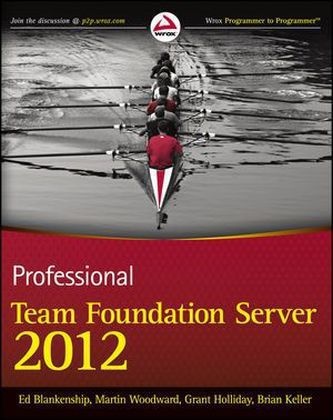
Professional Team Foundation Server 2012
English · Paperback / Softback
Shipping usually within 1 to 3 weeks (not available at short notice)
Description
Informationen zum Autor Ed Blankenship is the Microsoft Program Manager for the Lab Management scenarios for Team Foundation Server and the Visual Studio ALM product family. He was voted as Microsoft MVP of the Year for Visual Studio ALM & Team Foundation Server before joining Microsoft.Martin Woodward is currently the Program Manager for the Microsoft Visual Studio Team Foundation Server Cross-Platform Tools Team. Before joining Microsoft, he was voted Team System MVP of the Year, and has spoken about Team Foundation Server at events internationally.Grant Holliday is a Senior Premier Field Engineer for Microsoft in Australia. Prior to this role, he spent three years in Redmond, Washington as a program manager in the Visual Studio Team Foundation Server product group.Brian Keller is a Principal Technical Evangelist for Microsoft specializing in Visual Studio and application lifecycle management. He has presented at conferences all over the world and has managed several early adopter programs for emerging Microsoft technologies.Wrox Professional guides are planned and written by working programmers to meet the real-world needs of programmers, developers, and IT professionals. Focused and relevant, they address the issues technology professionals face every day. They provide examples, practical solutions, and expert education in new technologies, all designed to help programmers do a better job. Klappentext Learn to use TFS 2012 to effectively deliver software projectsTeam Foundation Server is the core collaboration tool at the heart of Microsoft's Application Lifecycle Management portfolio. Completely revised and updated to focus on TFS 2012, this book provides an in-depth look at how to use, adapt, and extend TFS to your advantage. It addresses the many changes that have taken place since the original TFS 2005 release and pays particular attention to the new functionality introduced since TFS 2010, including the new web-based agile project planning tools, and it details the fundamental changes to the centralized version control system. This book also provides full details on using the new Team Explorer experience, including working with the new My Work and Code Review functionality. Written by a hand-picked team of Microsoft insiders, this book arms you with the information you need to effectively manage and deliver software projects with TFS.Professional Team Foundation Server 2012:* Walks you through planning, installing, and customizing your TFS deployment* Features a comprehensive overview of the new Local Workspaces feature in version control* Offers tips for effectively developing in parallel using branching and merging, and for ensuring code quality* Shares techniques for adopting and using work item tracking as well as customizing your process templates* Reviews how to automate and customize the build process* Details how to use TFS from Eclipse or from Linux and Mac as well as Visual Studio* Reviews administering a TFS environment including creating a back-up plan, handling disaster recovery, upgrading to TFS 2012, monitoring server health, and morewrox.comProgrammer ForumsJoin our Programmer to Programmer forums to ask and answer programming questions about this book, join discussions on the hottest topics in the industry, and connect with fellow programmers from around the world.Code DownloadsTake advantage of free code samples from this book, as well as code samples from hundreds of other books, all ready to use.Read MoreFind articles, e-books, sample chapters, and tables of contents for hundreds of books, and more reference resources on programming topics that matter to you. Zusammenfassung A comprehensive guide to using Microsoft Team Foundation Server 2012Team Foundation Server has become the leading Microsoft productivity tool for software management, and this book covers what developers need to know to use it effectively. Fully revised for the n...
List of contents
INTRODUCTION xxvii
PART I: GETTING STARTED
CHAPTER 1: INTRODUCING TEAM FOUNDATION SERVER 2012 3
CHAPTER 2: PLANNING A DEPLOYMENT 13
CHAPTER 3: INSTALLATION AND CONFIGURATION 43
CHAPTER 4: CONNECTING TO TEAM FOUNDATION SERVER 59
PART II: VERSION CONTROL
CHAPTER 5: OVERVIEW OF VERSION CONTROL 83
CHAPTER 6: USING TEAM FOUNDATION VERSION CONTROL 95
CHAPTER 7: ENSURING CODE QUALITY 147
CHAPTER 8: MIGRATION FROM LEGACY
CHAPTER 9: BRANCHING AND MERGING 193
CHAPTER 10: COMMON VERSION CONTROL SCENARIOS 223
PART III: PROJECT MANAGEMENT
CHAPTER 11: INTRODUCING WORK-ITEM TRACKING 243
CHAPTER 12: CUSTOMIZING PROCESS TEMPLATES 273
CHAPTER 13: MANAGING TEAMS AND AGILE PLANNING TOOLS 311
CHAPTER 14: REPORTING AND SHAREPOINT DASHBOARDS 333
CHAPTER 15: PROJECT SERVER INTEGRATION 359
PART IV: TEAM FOUNDATION BUILD
CHAPTER 16: OVERVIEW OF BUILD AUTOMATION 373
CHAPTER 17: USING TEAM FOUNDATION BUILD 389CHAPTER 18: CUSTOMIZING THE BUILD PROCESS 437
PART V: ADMINISTRATION
CHAPTER 19: INTRODUCTION TO TEAM FOUNDATION SERVER ADMINISTRATION 493
CHAPTER 20: SCALABILITY AND HIGH AVAILABILITY 525
CHAPTER 21: DISASTER RECOVERY 549
CHAPTER 22: SECURITY AND PRIVILEGES 575
CHAPTER 23: MONITORING SERVER HEALTH AND PERFORMANCE 599
CHAPTER 24: TESTING AND LAB MANAGEMENT 627
CHAPTER 25: UPGRADING FROM EARLIER VERSIONS 657
CHAPTER 26: WORKING WITH GEOGRAPHICALLY DISTRIBUTED TEAMS 675
CHAPTER 27: EXTENDING TEAM FOUNDATION SERVER 695
INDEX 725
Product details
| Authors | E Blankenship, Ed Blankenship, Ed Woodward Blankenship, Grant Holliday, Grant e Holliday, Brian Keller, Marti Woodward, Martin Woodward |
| Publisher | Wiley, John and Sons Ltd |
| Languages | English |
| Product format | Paperback / Softback |
| Released | 01.01.2013 |
| EAN | 9781118314098 |
| ISBN | 978-1-118-31409-8 |
| No. of pages | 792 |
| Series |
Wrox Programmer to Programmer Wrox Programmer to Programmer |
| Subjects |
Natural sciences, medicine, IT, technology
> IT, data processing
> Programming languages
Informatik, computer science, Programmierung u. Software-Entwicklung, Programming & Software Development, Team Foundation Server |
Customer reviews
No reviews have been written for this item yet. Write the first review and be helpful to other users when they decide on a purchase.
Write a review
Thumbs up or thumbs down? Write your own review.