

Share
Fr. 51.90
Wei-Meng Lee
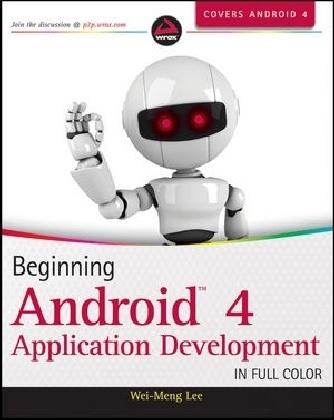
Beginning Android 4 Application Development
English · Paperback / Softback
Shipping usually within 3 to 5 weeks
Description
Informationen zum Autor Wei-Meng Lee is a technologist and founder of Developer Learning Solutions, a technology company specializing in hands-on training in the latest Microsoft and Apple technologies. He is the author of Beginning Android Application Development and Beginning iOS 5 Application Development, as well as many other technology books and articles. Klappentext Quickly learn how to develop applications for Android 4 smartphones and tablets!With Android 4, Google brings the full power of its Android operating system to both smartphone and tablet computing. This full-color guide teaches everything you'll need to know to successfully develop your own Android applications. The book addresses all the fundamentals, including user interfaces, networking, SMS messaging, databases, location-based services, and deployment. Veteran author Wei-Meng Lee covers it all and puts you well on your way to successful Android application development and deployment.Beginning Android 4 Application Development:* Explains how to adapt to display orientation, understand the components of a screen, and handle user interface notifications* Explains the various elements that go into designing your user interface using views such as TextView, ProgressBar, AutoCompleteTextView, TimePicker, ListView, and more* Demonstrates how to display pictures and menus with views* Shows how to use a content provider and create your own content provider* Demonstrates how to put long running tasks in separate threads* Builds an application that tracks locations using SMS messaging* Demonstrates how to use JSON and Sockets programming to build your own chat application* Helps you prepare your Android application for the Android MarketWrox Beginning guides are crafted to make learning programming languages and technologies easier than you think, providing a structured, tutorial format that will guide you through all the techniques involved.wrox.com Programmer ForumsJoin our Programmer to Programmer forums to ask and answer programming questions about this book, join discussions on the hottest topics in the industry, and connect with fellow programmers from around the world.Code DownloadsTake advantage of free code samples from this book, as well as code samples from hundreds of other books, all ready to use.Read MoreFind articles, ebooks, sample chapters and tables of contents for hundreds of books, and more reference resources on programming topics that matter to you. Zusammenfassung Understand Android OS for both smartphone and tablet programmingThis fast-paced introduction to the newest release of Android OS gives aspiring mobile app developers what they need to know to program for today's hottest Android smartphones and tablets. Android 4 OS is, for the first time, a single solution for both smartphones and tablets, so if you master the information in this helpful guide, you'll be well on your way to successful development for both devices. From using activities and intents and creating rich user interfaces to working with SMS, messaging APIs, and the Android SDK, what you need is here.* Provides clear instructions backed by real-world programming examples* Begins with the basics and covers everything Android 4 developers need to know for both smartphones and tablets* Explains how to customize activities and intents, create rich user interfaces, and manage data* Helps you work with SMS and messaging APIs, the Android SDK, and using location-based services* Details how to package and publish your applications to the Android MarketBeginning Android 4 Application Development pares down the most essential steps you need to know so you can start creating Android applications today. Inhaltsverzeichnis INTRODUCTION xxiCHAPTER 1: GETTING STARTED WITH ANDROID PROGRAMMING 1What Is Android? 2Android Versions 2Features of Android 3Architecture of Android 4Android Devices in the Market 6...
List of contents
INTRODUCTION xxi
CHAPTER 1: GETTING STARTED WITH ANDROID PROGRAMMING 1
What Is Android? 2
Android Versions 2
Features of Android 3
Architecture of Android 4
Android Devices in the Market 6
The Android Market 8
The Android Developer Community 9
Obtaining the Required Tools 9
Android SDK 10
Installing the Android SDK Tools 11
Confi guring the Android SDK Manager 12
Eclipse 14
Android Development Tools (ADT) 15
Creating Android Virtual Devices (AVDs) 17
Creating Your First Android Application 20
Anatomy of an Android Application 29
Summary 33
CHAPTER 2: ACTIVITIES, FRAGMENTS, AND INTENTS 35
Understanding Activities 36
Applying Styles and Themes to an Activity 41
Hiding the Activity Title 41
Displaying a Dialog Window 42
Displaying a Progress Dialog 47
Displaying a More Sophisticated Progress Dialog 50
Linking Activities Using Intents 53
Resolving Intent Filter Collision 58
Returning Results from an Intent 59
Passing Data Using an Intent Object 63
Fragments 69
Adding Fragments Dynamically 73
Life Cycle of a Fragment 76
Interactions between Fragments 80
Calling Built-In Applications Using Intents 85
Understanding the Intent Object 89
Using Intent Filters 91
Adding Categories 96
Displaying Notifications 98
Summary 103
CHAPTER 3: GETTING TO KNOW THE ANDROID USER INTERFACE 105
Understanding the Components of a Screen 105
Views and ViewGroups 106
LinearLayout 107
AbsoluteLayout 115
TableLayout 116
RelativeLayout 117
FrameLayout 118
ScrollView 121
Adapting to Display Orientation 123
Anchoring Views 125
Resizing and Repositioning 127
Managing Changes to Screen Orientation 130
Persisting State Information during Changes in Confi guration 133
Detecting Orientation Changes 135
Controlling the Orientation of the Activity 135
Utilizing the Action Bar 136
Adding Action Items to the Action Bar 139
Customizing the Action Items and Application Icon 144
Creating the User Interface Programmatically 146
Listening for UI Notifications 148
Overriding Methods Defined in an Activity 149
Registering Events for Views 152
Summary 156
CHAPTER 4: DESIGNING YOUR USER INTERFACE WITH VIEWS 159
Using Basic Views 160
TextView View 160
Button, ImageButton, EditText, CheckBox, ToggleButton, RadioButton, and RadioGroup Views 161
ProgressBar View 171
AutoCompleteTextView View 177
Using Picker Views 179
TimePicker View 179
DatePicker View 184
Using List Views to Display Long Lists 191
ListView View 191
Using the Spinner View 199
Understanding Specialized Fragments 202
Using a ListFragment 202
Using a DialogFragment 207
Using a PreferenceFragment 210
Summary 214
CHAPTER 5: DISPLAYING PICTURES AND MENUS WITH VIEWS 219
Using Image Views to Display Pictures 219
Gallery and ImageView Views 220
ImageSwitcher 226
GridView 231
Using Menus with Views 234
Creating the Helper Methods 235
Options Menu 238
Context Menu 240
Some Additional Views 242
AnalogClock and DigitalClock Views 242
WebView 243
Summary 249
CHAPTER 6: DATA PERSISTENCE 251
Saving and Loading User Preferences 251
Accessing Preferences Using an Activity 252
Programmatically Retrieving and Modifying the Preferences Values 259
Changing the Default Name of the Preferences File 261
Persisting Data to Files 263
Saving to Internal Storage 263
Saving to External Storage (SD Card) 268
Choosing the Best Storage Option 271
Using Static Resources 272
Creating and Using Databases 273
Creating the DBAdapter Helper Class 273
Using the Database Programmatically 279
Pre-Creating the Database 285
Summary 289
CHAPTER 7: CONTENT PROVIDERS 293
Sharing Data in Android 293
Using a Content Provider 294
Predefi ned Query String Constants 300
Projections 303
Filtering 304
Sorting 305
Creating Your Own
Product details
| Authors | Wei-Meng Lee |
| Publisher | Wiley, John and Sons Ltd |
| Languages | English |
| Product format | Paperback / Softback |
| Released | 02.03.2012 |
| EAN | 9781118199541 |
| ISBN | 978-1-118-19954-1 |
| No. of pages | 560 |
| Dimensions | 189 mm x 234 mm x 28 mm |
| Subjects |
Natural sciences, medicine, IT, technology
> IT, data processing
Informatik, Android, computer science, Programmierung u. Software-Entwicklung, Programming & Software Development |
Customer reviews
No reviews have been written for this item yet. Write the first review and be helpful to other users when they decide on a purchase.
Write a review
Thumbs up or thumbs down? Write your own review.