

Share
Fr. 53.50
M Mathos, Melanie Mathos, Mathos Melanie, Chad Norman, Norman Chad
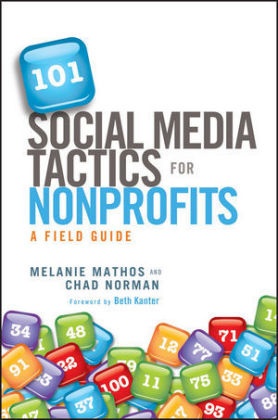
101 Social Media Tactics for Nonprofits
English · Hardback
Shipping usually within 3 to 5 weeks
Description
Informationen zum Autor MELANIE MATHOS is the senior public relations manager at Blackbaud, where she spreads the word about their products, services, and customers; co-manages the company's social media channels; and contributes to the NetWits ThinkTank blog. Melanie also serves on the board of directors of Fields to Families, where she leads the organization's fundraising and communications. CHAD NORMAN is the Internet marketing manager for Blackbaud, where he wrangles corporate web site content and develops social media strategy. He's the Editor in Chief of Blackbaud Blogs, and contributes to the NetWits ThinkTank blog. He also hosts and produces The Baudcast. In 2007, he founded Go Green Charleston, a technology-focused nonprofit. He also serves on the board of directors of Fields to Families, managing web strategy. Klappentext There are a lot of books about social media strategy, engagement, and listening-but this isn't one of them! Destined to be the most dog-eared book on your desk, 101 Social Media Tactics for Nonprofits features 101 take-action plans that anyone managing or supporting a social media program for nonprofits can start using today-and most of the featured resources are free! Authors Melanie Mathos and Chad Norman-both seasoned nonprofit social-medialites-divide each of the 101 digital-age tactics into five key categories: setup, communicate, engage, fundraise, and measure. Tactics include quick, easy-to-follow steps and tools you'll need to implement them. Plus, many of the 101 entries include "A Closer Look" highlighting how leading nonprofit professionals around the world-including Oxfam, charity: water, Red Cross, Greenpeace, March of Dimes, and many others-are leveraging social media to engage constituents, communicate their cause, and deliver on their mission. Ready to get connected with a bigger, more interactive audience? Here are just some of the 101 social media tactics you can get started with right now: Brand your YouTube channelClaim your venue on foursquareConnect with the top tweeters in your areaMake your tweets retweetableUse TwitPic to share photos and videosCreate a Facebook welcome tabAsk your Facebook fans a questionGet creative with avatarsOrganize a petition on TwitterRaise money with CausesSubmit your photos to Flickr groupsDisplay RSS feeds on your web siteCreate a Wikipedia entryMake a buzzworthy videoLivestream your eventsAdd a tweet button to your web site or blogCreate a Facebook donation tabHold a tweetathonTrack referrals from social sitesMeasure new visitors from social channels Create a program from scratch. Add a new twist to an existing one. Engage with supporters in new and inventive ways. Discover how just a couple of quick clicks of the mouse can make an immediate impact on your organization's social presence with the tips and tools found in 101 Social Media Tactics for Nonprofits. Zusammenfassung The ultimate social media field guide for nonprofits with 101 ways to engage supporters, share your mission, and inspire action using the social web 101 Social Media Tactics for Nonprofits features 101 actionable tactics that nonprofits can start using today, and most of the featured resources are free. Inhaltsverzeichnis Foreword xi Acknowledgments xiii Introduction xv Using This Book xvi Tactic Checklist xvii Chapter 1 Setup 1 1. Claim Your User Name on Facebook 2 2. Brand Your YouTube Channel 3 3. Claim Your Venue on foursquare 4 4. Create a Branded foursquare Page 6 5. Create a Custom Twitter Background 9 6. Brand Your Facebook Page 11 7. Add Multiple Administrators to Your Facebook Page 13 8. Set and Display Rules for Your Facebook Community 14 9. Allow Supporters to Post Content on Your Facebook Page 17 10. Monitor Facebook Page Activity with Alerts 19 11. Use Commenting Too...
List of contents
Foreword xi
Acknowledgments xiii
Introduction xv
Using This Book xvi
Tactic Checklist xvii
Chapter 1 Setup 1
1. Claim Your User Name on Facebook 2
2. Brand Your YouTube Channel 3
3. Claim Your Venue on foursquare 4
4. Create a Branded foursquare Page 6
5. Create a Custom Twitter Background 9
6. Brand Your Facebook Page 11
7. Add Multiple Administrators to Your Facebook Page 13
8. Set and Display Rules for Your Facebook Community 14
9. Allow Supporters to Post Content on Your Facebook Page 17
10. Monitor Facebook Page Activity with Alerts 19
11. Use Commenting Tools that Authenticate with Social Accounts 21
12. Add a Facebook Like Button to Your Web Site or Blog 22
13. Add a Twitter Follow Button to Your Site 23
14. Include the ShareThis Sharing Button 25
15. Create a Flickr Pro Account 26
16. Publish Photos Under a Creative Commons License 28
17. Submit Your Photos to Flickr Groups 30
Chapter 2 Communicate 33
18. Use Collaboration Tools to Manage Twitter Accounts 34
19. Create Twitter Lists 36
20. Display Names of Staff Contributing to Twitter and Facebook 37
21. Connect with the Top Tweeters in Your Area 40
22. Monitor Local Twitter Activity Using Hashtags 42
23. Make Your Tweets Retweetable 44
24. Sign up for Tweets for Good 46
25. Recruit New Staff and Volunteers 48
26. Start, Join, and Organize Conversations with Hashtags 49
27. Promote an Event or Campaign with a Hashtag 51
28. Contribute to Mission-Related Twitter Hashtags 52
29. Use TwitPic to Share Photos and Videos 54
30. Display RSS Feeds on Your Web Site 55
31. Display Live Twitter Content on Your Web Site and Blog 57
32. Feed Your Blog to Twitter and Facebook 59
33. Use Facebook Social Plug-ins on Your Site 60
34. Add Events to Your Facebook Page 62
35. Integrate Other Social Channels with Facebook 64
36. Include Social Channels in Contact Information 65
37. Integrate Supporter Photos with Other Channels 67
38. Submit Content to Social News and Bookmarking Sites 69
39. Create a Wikipedia Entry 71
40. Create a Social Media Newspaper 72
41. Make a Buzzworthy Video 73
42. Participate in a Video Contest 75
43. Livestream Your Events 77
44. Provide Instant Access to Content with QR Codes 79
45. Share Presentations and Documents Online 82
Chapter 3 Engage 85
46. Create a Facebook Welcome Tab 86
47. Encourage Action with Facebook Custom Tab 89
48. Encourage Supporters to Share Facebook Content 90
49. Launch a Like Campaign 92
50. Use Facebook as Your Organization's Page 93
51. Ask Your Facebook Fans a Question 95
52. Get Creative with Avatars 96
53. Add a Tweet Button to Your Web Site or Blog 98
54. Empower Supporters to Take Social Action 100
55. Build Real Relationships with Social Communication 102
56. Ask Infl uencers to Share Your News 104
57. Engage the Blogging Community 106
58. Broadcast the Backchannel Buzz at Your Event 108
59. Organize a Twitter Chat with a Hashtag 110
60. Organize a Tweetup 111
61. Reward Your Supporters for Checking In 113
62. Add Mission-Related Tips on foursquare 115
63. Create a Custom Badge on foursquare 116
64. Participate in Giving
Product details
| Authors | M Mathos, Melanie Mathos, Mathos Melanie, Chad Norman, Norman Chad |
| Assisted by | Kanter Beth (Foreword) |
| Publisher | Wiley, John and Sons Ltd |
| Languages | English |
| Product format | Hardback |
| Released | 28.02.2012 |
| EAN | 9781118106242 |
| ISBN | 978-1-118-10624-2 |
| No. of pages | 224 |
| Dimensions | 165 mm x 238 mm x 23 mm |
| Subjects |
Social sciences, law, business
> Business
Business & management, Wirtschaft u. Management, Non-Profit Organizations / Marketing & Communications, Gemeinnützige Organisationen / Marketing u. Kommunikation, Gemeinnützige Einrichtung |
Customer reviews
No reviews have been written for this item yet. Write the first review and be helpful to other users when they decide on a purchase.
Write a review
Thumbs up or thumbs down? Write your own review.