

Condividi
Englisch, Richard Harrison, Richard Harrison
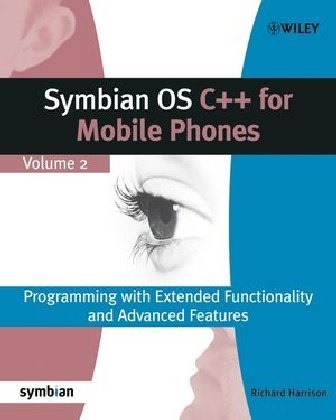
Inside Symbian OS - Symbian OS C++ for Mobile Phones Part 2
Inglese · Tascabile
Descrizione
Zusatztext "Only book around that explains the intricacies of Symbian OS C++" - Developer Klappentext Get up to speed on the latest release of Symbian OS with this new 'from the source' reference guide. After a brief introduction to Symbian OS fundamentals the book focuses on describing the interaction between the OS and the application, broadly following the lifecycle of an application. It describes the new features particular to V7.0 (s) and provides conceptual and theoretical underpinnings to give the reader a thorough understanding of the OS. - Aims to build a general understanding of Symbian OS not just for a particular smartphone or UI. - Packed with code and examples. - Details advanced features such as user interfaces, files and views, multimedia services and communications, and messaging. Zusammenfassung Get up to speed on Symbian OS v7. 0s with this new, from the source reference guide. After a brief introduction to Symbian OS fundamentals the book focuses on describing the interaction between the OS and the application, broadly following the lifecycle of an application. It describes the new features particular to v7. Inhaltsverzeichnis Foreword.About this book.Innovation Through Openness.About the Authors.Acknowledgements.1. Symbian OS Fundamentals.1.1 Object Creation and Destruction.1.2 Error Handling and Cleanup.1.3 Naming Conventions.1.4 Descriptors.1.5 Active Objects.1.6 Summary.2. Symbian OS User Interfaces.2.1 Introduction.2.2 The Common Framework.2.3 The Screen Layout.2.4 Common UI Components.2.5 UI-specific Components.2.6 Skins.2.7 Handling User Input.2.8 Summary.3. A Running Application.3.1 Introduction.3.2 System Calls.3.3 Summary.4. Using Controls and Dialogs.4.1 What is a Control?4.2 Simple Controls.4.3 Compound Controls.4.4 Control Layout.4.5 Handling Key and Pointer Events.4.6 Observing a Control.4.7 Drawing a Control.4.8 Dialogs.4.9 More Complex Dialogs.4.10 Interface Class Usage in Dialogs.4.11 Custom Controls in Dialogs.4.12 Summary.5. Views and the View Architecture.5.1 Controlling Your Application with Views.5.2 View Architecture Components.5.3 Implementing Views.5.4 Creating Views.5.5 Registering Views.5.6 Switching Between Views.5.7 Deregistering Views.5.8 More on Views.5.9 View Specific Behavior on UIQ and Series 60 Platforms.5.10 Conclusion.5.11 Summary.6. Files and the Filing System.6.1 Filing System Services.6.2 Streams.6.3 Stores.6.4 Using INI Files.6.5 Resource Files and Bitmaps.7. Multimedia Services.7.1 The Multimedia Component Architecture.7.2 The Multimedia Framework (MMF).7.3 Using the MMF.7.4 Using Audio.7.5 Using Video.7.6 Controller Framework API.7.7 Using the ICL.7.8 Using Ecam.8. Comms and Messaging.7.1 Introduction.8.2 Overview of Symbian OS Comms Architecture.8.3 Protocol Support.8.4 MMS.8.5 Summary.9. Testing on Symbian OS.9.1 Code Coverage Analysis.9.2 Binary Compatibility Tool.9.3 Test Driver.9.4 Analyzing the Results.9.5 Sampling Profiler.9.6 Countloc - Measuring Source Code Size.9.7 Summary.Appendix 1. Example Projects.Appendix 2. Symbian OS System Model.Appendix 3. Writing Good Symbian OS Code.Appendix 4. Developer Resources.Appendix 5. Build Process Overview.Appendix 6. Specifications of Symbian OS Phones.Index. ...
Sommario
Foreword. About this book. Innovation Through Openness. About the Authors. Acknowledgements. 1. Symbian OS Fundamentals. 1.1 Object Creation and Destruction. 1.2 Error Handling and Cleanup. 1.3 Naming Conventions. 1.4 Descriptors. 1.5 Active Objects. 1.6 Summary. 2. Symbian OS User Interfaces. 2.1 Introduction. 2.2 The Common Framework. 2.3 The Screen Layout. 2.4 Common UI Components. 2.5 UI-specific Components. 2.6 Skins. 2.7 Handling User Input. 2.8 Summary. 3. A Running Application. 3.1 Introduction. 3.2 System Calls. 3.3 Summary. 4. Using Controls and Dialogs. 4.1 What is a Control? 4.2 Simple Controls. 4.3 Compound Controls. 4.4 Control Layout. 4.5 Handling Key and Pointer Events. 4.6 Observing a Control. 4.7 Drawing a Control. 4.8 Dialogs. 4.9 More Complex Dialogs. 4.10 Interface Class Usage in Dialogs. 4.11 Custom Controls in Dialogs. 4.12 Summary. 5. Views and the View Architecture. 5.1 Controlling Your Application with Views. 5.2 View Architecture Components. 5.3 Implementing Views. 5.4 Creating Views. 5.5 Registering Views. 5.6 Switching Between Views. 5.7 Deregistering Views. 5.8 More on Views. 5.9 View Specific Behavior on UIQ and Series 60 Platforms. 5.10 Conclusion. 5.11 Summary. 6. Files and the Filing System. 6.1 Filing System Services. 6.2 Streams. 6.3 Stores. 6.4 Using INI Files. 6.5 Resource Files and Bitmaps. 7. Multimedia Services. 7.1 The Multimedia Component Architecture. 7.2 The Multimedia Framework (MMF). 7.3 Using the MMF. 7.4 Using Audio. 7.5 Using Video. 7.6 Controller Framework API. 7.7 Using the ICL. 7.8 Using Ecam. 8. Comms and Messaging. 7.1 Introduction. 8.2 Overview of Symbian OS Comms Architecture. 8.3 Protocol Support. 8.4 MMS. 8.5 Summary. 9. Testing on Symbian OS. 9.1 Code Coverage Analysis. 9.2 Binary Compatibility Tool. 9.3 Test Driver. 9.4 Analyzing the Results. 9.5 Sampling Profiler. 9.6 Countloc Measuring Source Code Size. 9.7 Summary. Appendix 1. Example Projects. Appendix 2. Symbian OS System Model. Appendix 3. Writing Good Symbian OS Code. Appendix 4. Developer Resources. Appendix 5. Build Process Overview. Appendix 6. Specifications of Symbian OS Phones. Index.
Dettagli sul prodotto
| Autori | Englisch, Richard Harrison, Richard Harrison |
| Editore | Wiley, John and Sons Ltd |
| Lingue | Inglese |
| Formato | Tascabile |
| Pubblicazione | 13.08.2004 |
| EAN | 9780470871089 |
| ISBN | 978-0-470-87108-9 |
| Pagine | 462 |
| Dimensioni | 192 mm x 235 mm x 26 mm |
| Serie |
Symbian Press Symbian Press |
| Categoria |
Libri scolastici
> Didattica
> Formazione professionale
|
Recensioni dei clienti
Per questo articolo non c'è ancora nessuna recensione. Scrivi la prima recensione e aiuta gli altri utenti a scegliere.
Scrivi una recensione
Top o flop? Scrivi la tua recensione.