En savoir plus
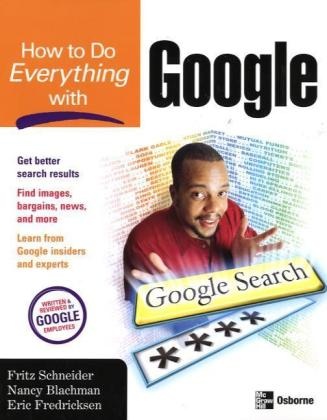
Go beyond Google's deceptively plain interface to explore the many features of this powerful tool. The new user and the Web-savvy alike will benefit from the many simple and advanced tactics and strategies the authors share for finding information on the Web with Google. Save time with tips to narrow or broaden your Web searches, choose effective search terms, utilize Google search syntax, and understand your search results. Discover useful services such as Images, Answers, Groups, News, Google's bargain-finder Froogle, and much more. And along the way, get fun facts about the company and the people behind Google.Find useful information more quickly Locate phone numbers, maps, stock information, and get answers to mathematical calculations Configure your Web browser to facilitate easier searching Filter out sexually explicit content with SafeSearch Discover an array of features such as the bargain-finder Froogle, Google News, and Google Images Set preferences to specify a search and interface language, the number of search results shown per page, and more Learn how the Google search engine works and how new features are created in Google labs Use Google's search syntax to narrow your searches Formulate questions that get the best results from researchers at Google Answers About the authors: Fritz Schneider is a software engineer at Google. He is co-author of "JavaScript: The Complete Reference" and holds an M.S. in Computer Science from the University of California at San Diego.Nancy Blachman gives workshops on searching with Google and wrote an online tutorial, Google Guide. She is an author, and holds an M.S. in Computer Science from Stanford University, where she hastaught for eight years.Eric Fredricksen has been a software engineer at Google for more than three years. He holds an M.S. in Mathematics from Stanford University.
Table des matières
Part I: Google Web Search
1: Welcome to Google
2: Craft Your Searches
3: Find Specialized Information
4: Understand Search Results
5: Advanced Web Search
6: Make Searching Easier with Google Tools
7: Configure Google
Part II: Google Features
8: Search News Sources with Google News
9: Search Discussion Forums with Google Groups
10: Find Pictures with Google Images
11: Browse Topics by Category with the Google Directory
12: Ask Researchers Questions with Google Answers
13: Find Bargains with Froogle
14: Other Cool Features
Appendix: How Google Works
A propos de l'auteur
Nancy Blachman ist seit vielen Jahren an der Entwicklung und am Einsatz von Computeralgebrasystemen wie Maple und Mathematica beteiligt.